
What Are Cookies
As is common practice with almost all professional websites this site uses cookies, which are tiny files that are downloaded to your computer, to improve your experience. This page describes what information they gather, how we use it and why we sometimes need to store these cookies. We will also share how you can prevent these cookies from being stored however this may downgrade or 'break' certain elements of the sites functionality.
PRODUCTS
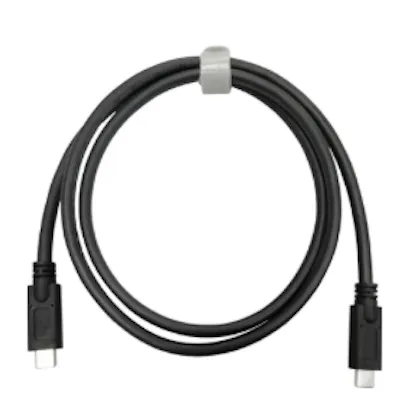
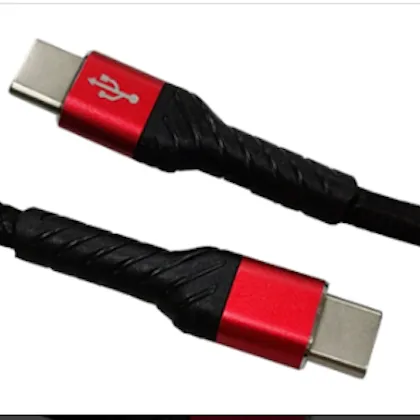
USB Type-C Cable Products
Y.C. Cable offers USB Type-C cable configurations for OEM electronic applications with different data and current requirements.
USB Type-C describes the connector interface, but USB-C cables can differ significantly in data capability, current capability, conductor construction, E-marker requirements, shielding, and application.
Use the product options below to identify the configuration closest to your project requirements.
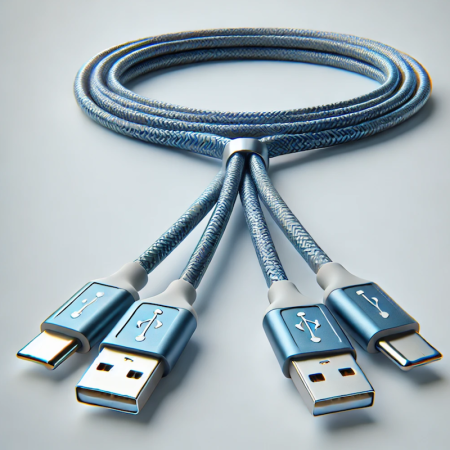
USB Type-C Product Options
USB 10Gbps Type-C Cable
Our USB 10Gbps Type-C Cable is a full-featured configuration intended for applications requiring USB 10Gbps data performance.
The current product configuration includes:
• Up to 10Gbps data performance
• USB Type-C connector configuration
• Up to 5A current capability
• E-marker
• Twisted-pair cable construction
Project-specific power, connector, dimensional, and testing requirements should be confirmed before production.
USB 2.0 Type-C Cable 5A
Our USB 2.0 Type-C Cable 5A is designed for applications requiring USB 2.0 data capability together with a 5A cable configuration.
The current product configuration includes:
• USB 2.0 data capability up to 480Mbps
• Up to 5A current capability
• E-marker
• USB Type-C connector
• Customer-defined cable length and product requirements
USB 2.0 Type-C Cable 3A
Our USB 2.0 Type-C Cable 3A is intended for applications requiring USB 2.0 data and a 3A cable configuration.
The current product configuration includes:
• USB 2.0 data capability up to 480Mbps
• Up to 3A current capability
• No E-marker in the current configuration
• USB Type-C connector
• PVC molded construction in the current product configuration
How to Choose a USB Type-C Cable
The correct USB-C cable depends on several independent requirements.
Data Requirement
Determine whether your application requires:
• USB 2.0 / 480Mbps
• USB 5Gbps
• USB 10Gbps
• Another customer-defined interface
Current & Power Requirement
Identify:
• Required current
• Required power capability
• USB Power Delivery requirements when applicable
• E-marker requirements when applicable
Mechanical Requirement
Define:
• Cable length
• Connector configuration
• Cable diameter
• Flexibility
• Strain relief
• Overmolding
• Installation environment
• Routing space
Need a Fully Custom USB-C Cable?
The product configurations on this page are useful starting points, but many OEM projects require a customer-specific cable assembly.
For custom connector configurations, cable lengths, shielding, overmolding, electrical requirements, or production requirements, visit Custom USB-C Cable Assemblies.
Frequently Asked Questions
Is USB Type-C the same as USB 10Gbps?
No. USB Type-C identifies the connector type. Data capability is a separate specification.
What is the difference between the 3A and 5A USB 2.0 cables?
Both current product configurations support USB 2.0 data up to 480Mbps, but they differ in current capability and E-marker configuration.
Does every 5A USB-C cable automatically support the same wattage?
No. Complete power capability depends on the cable design and applicable USB Power Delivery requirements.
Can these products be customized?
Yes. For customer-specific OEM configurations, visit Custom USB-C Cable Assemblies.
Request a USB Type-C Cable Quote
Send us the product configuration you are interested in along with your drawing, quantity, length, data requirements, power requirements, and testing criteria.
Request a USB Type-C Cable Quote